
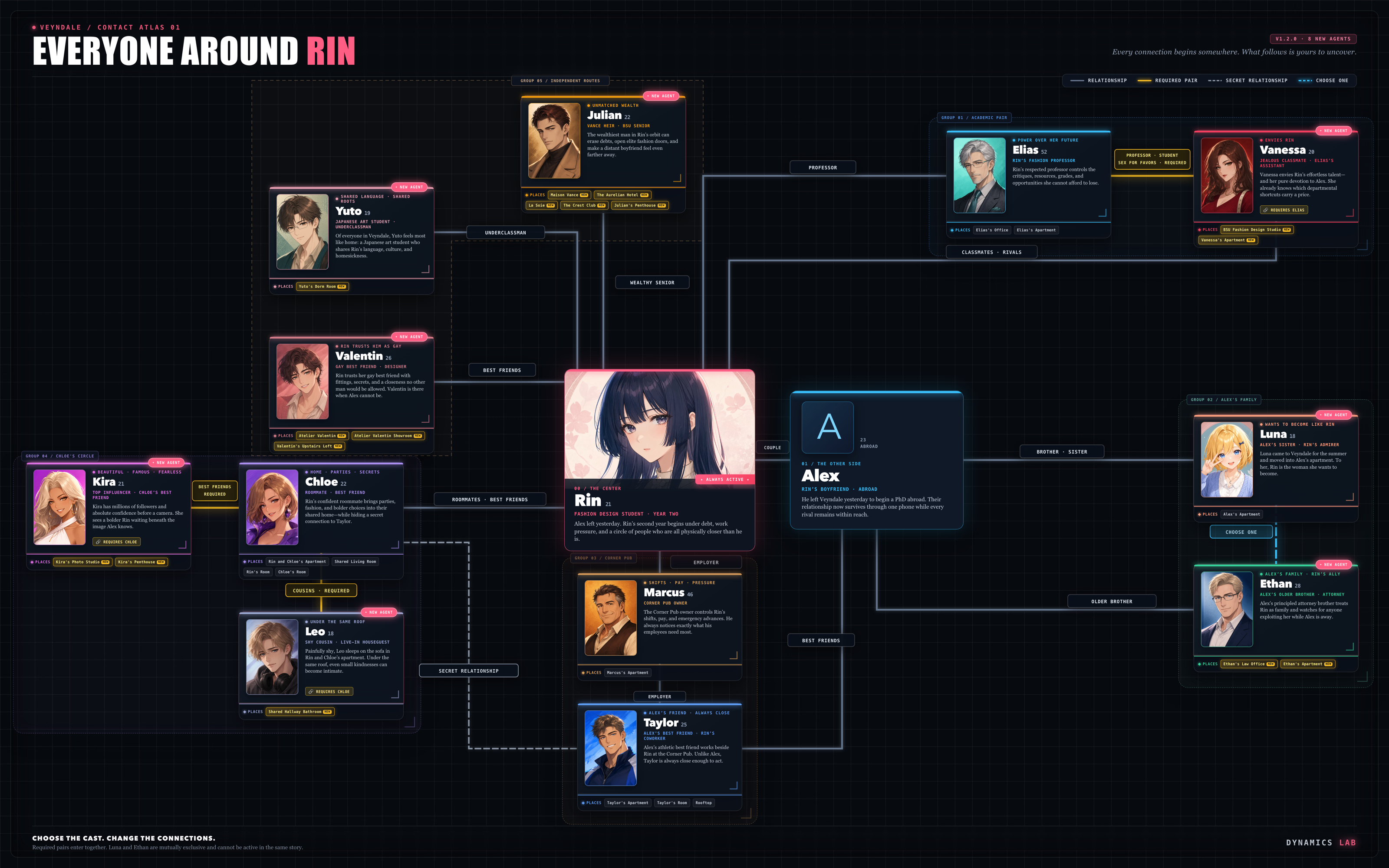
In this game, every character is an LLM-powered agent and simulated in real time, with their own memories, plans, relationships, and conversations.
As it turns out, LLMs and Netorare make a dangerously good combination.
You are Alex, a PhD student living overseas while your girlfriend remains behind. Before leaving, you secretly compromised her phone.
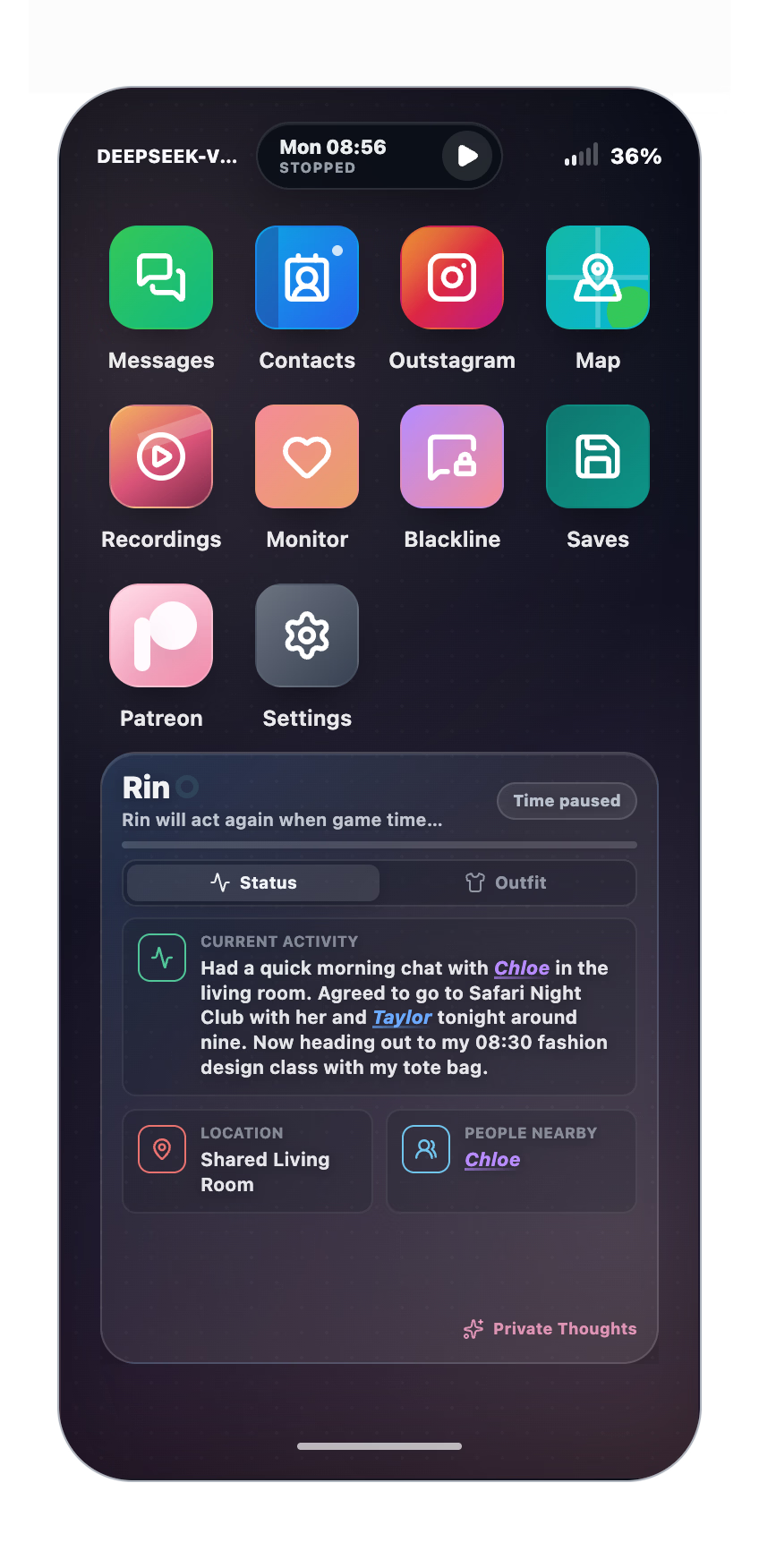
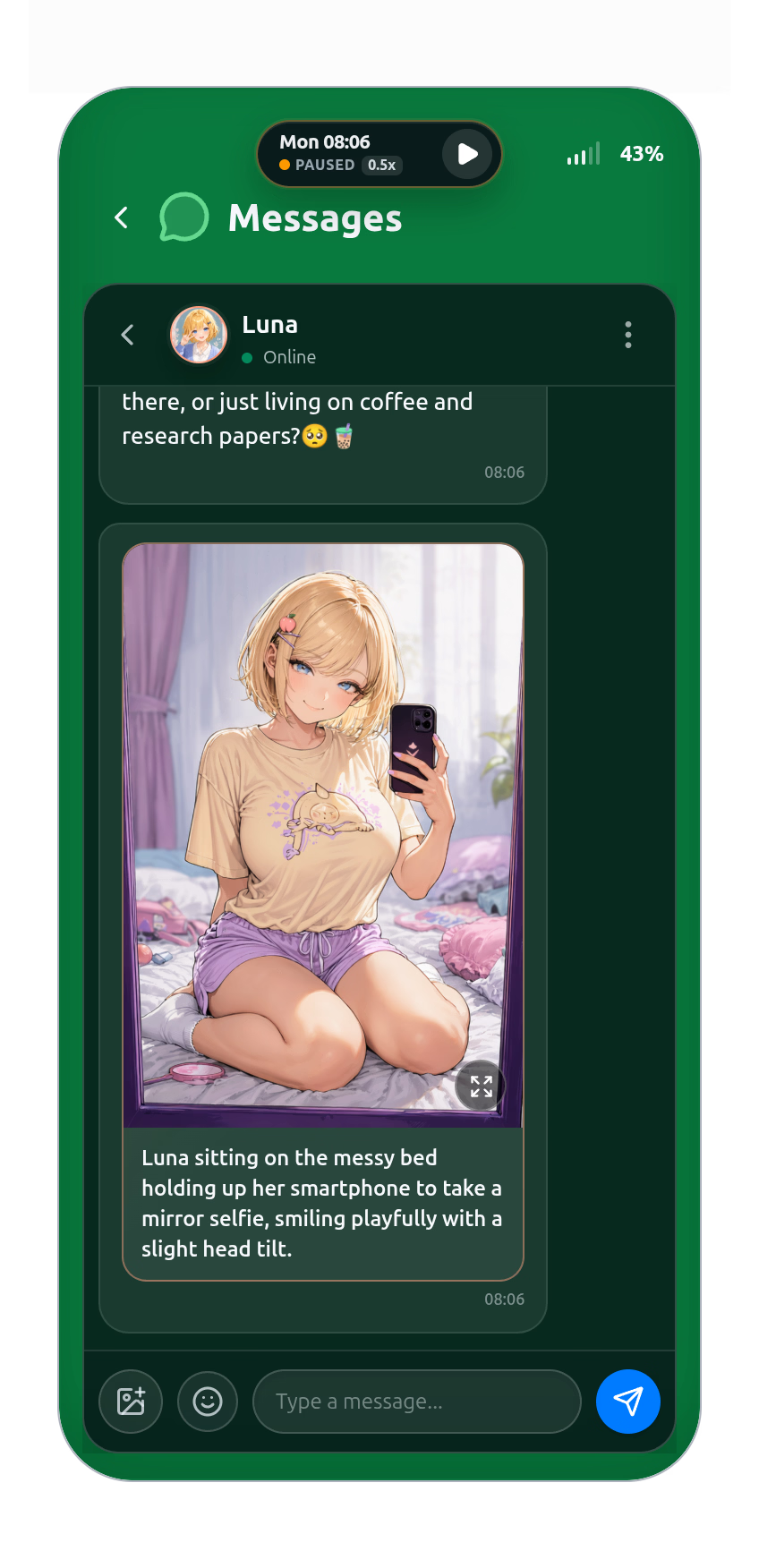
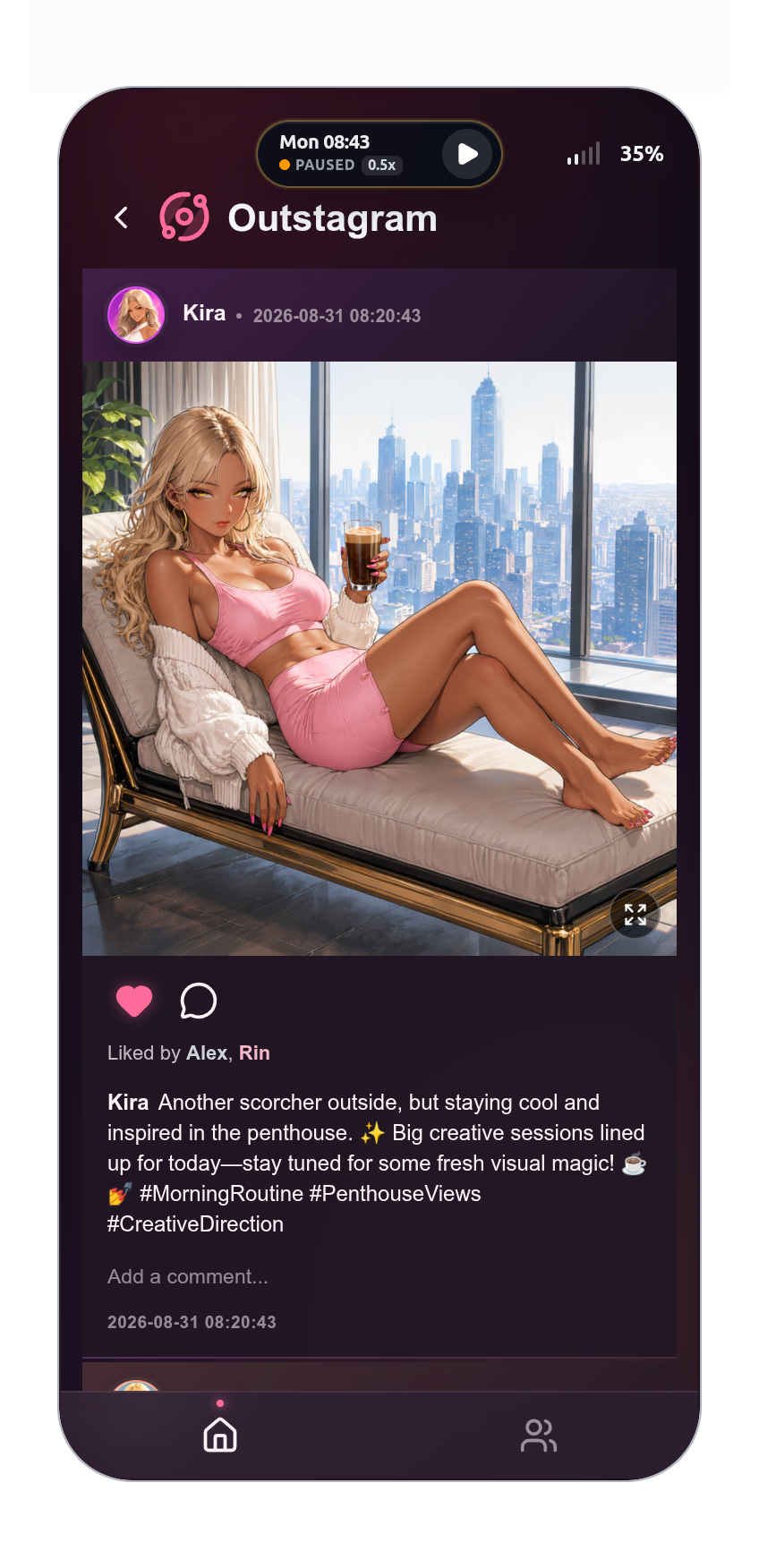
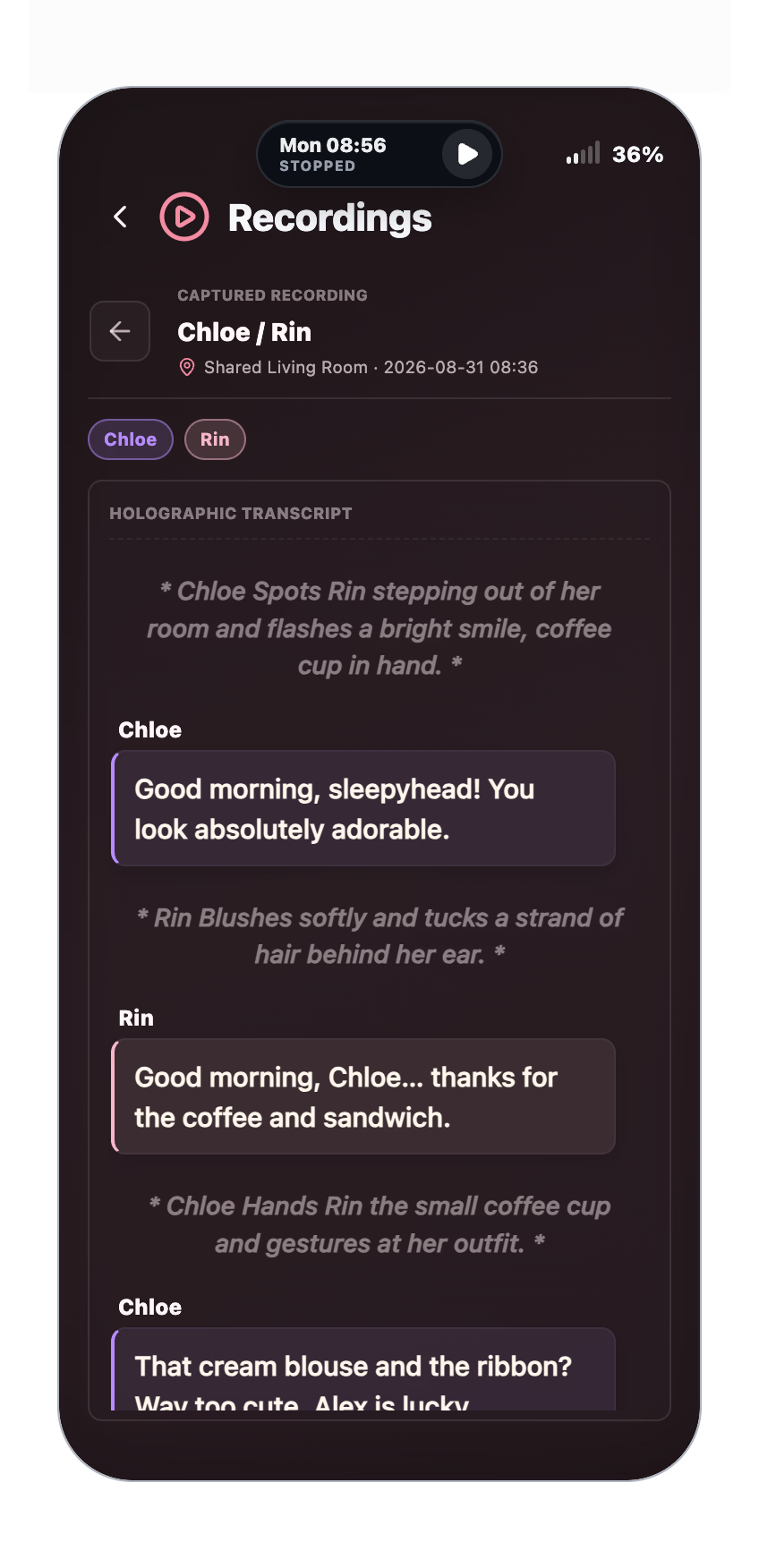
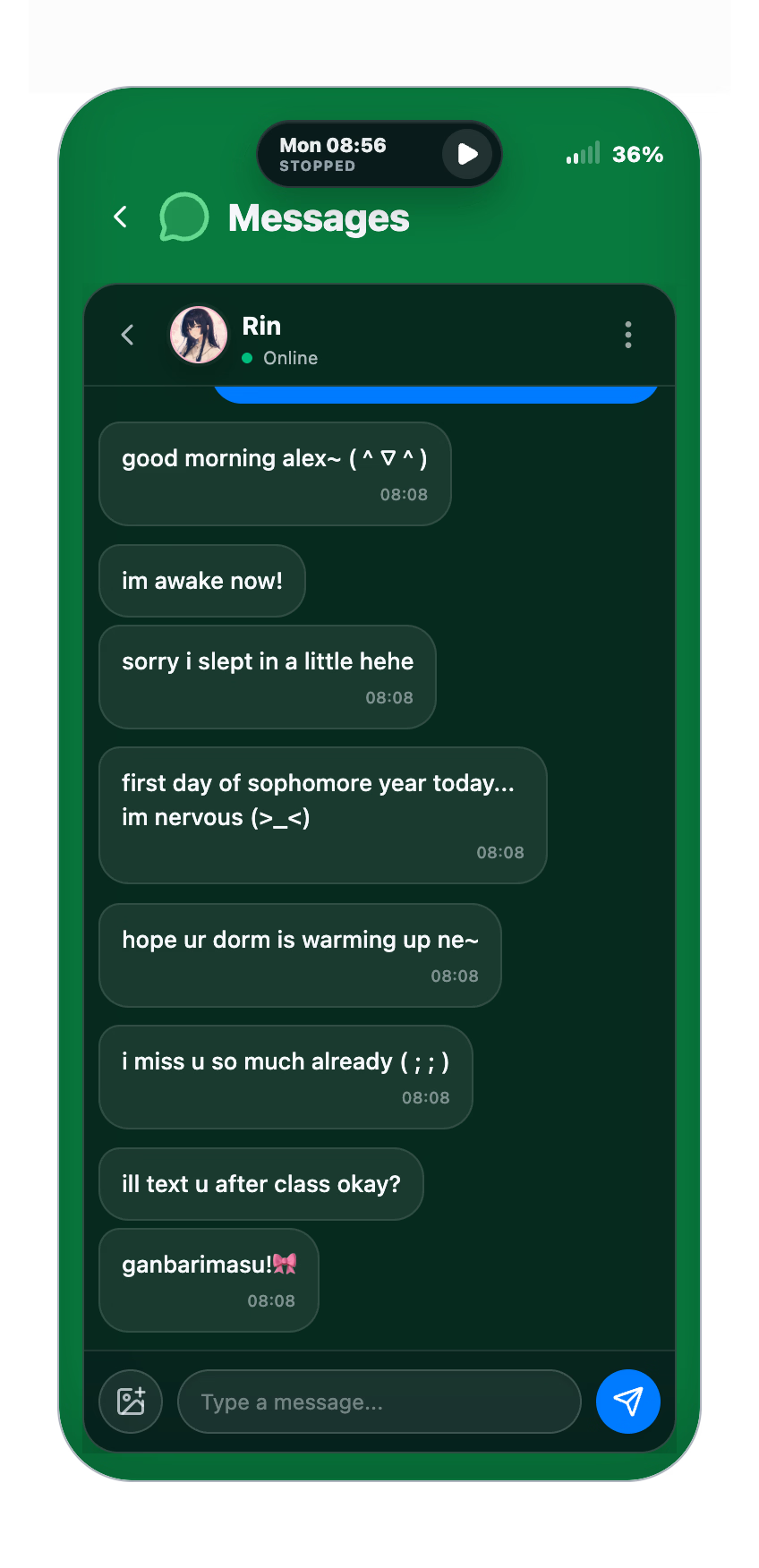
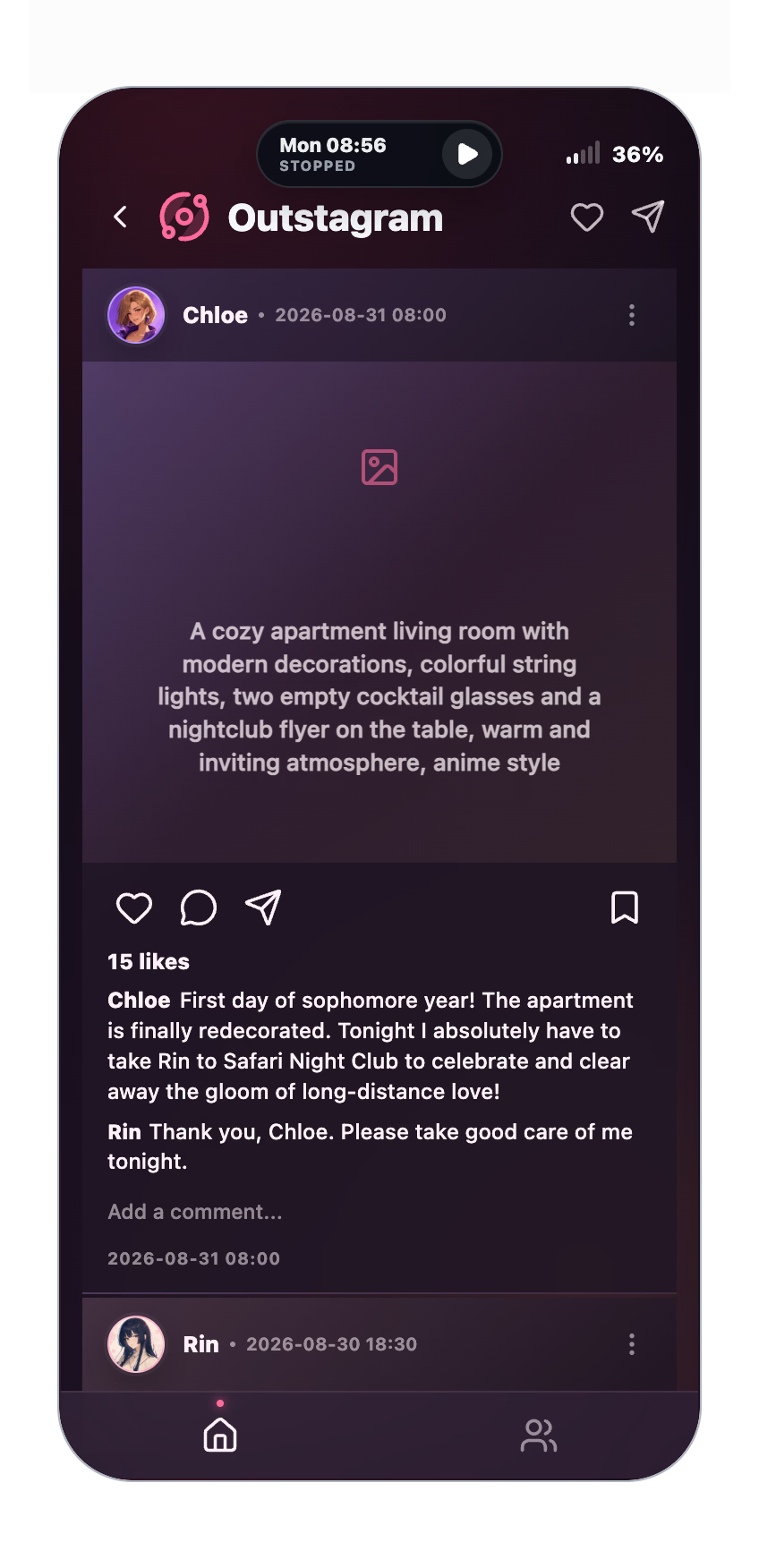
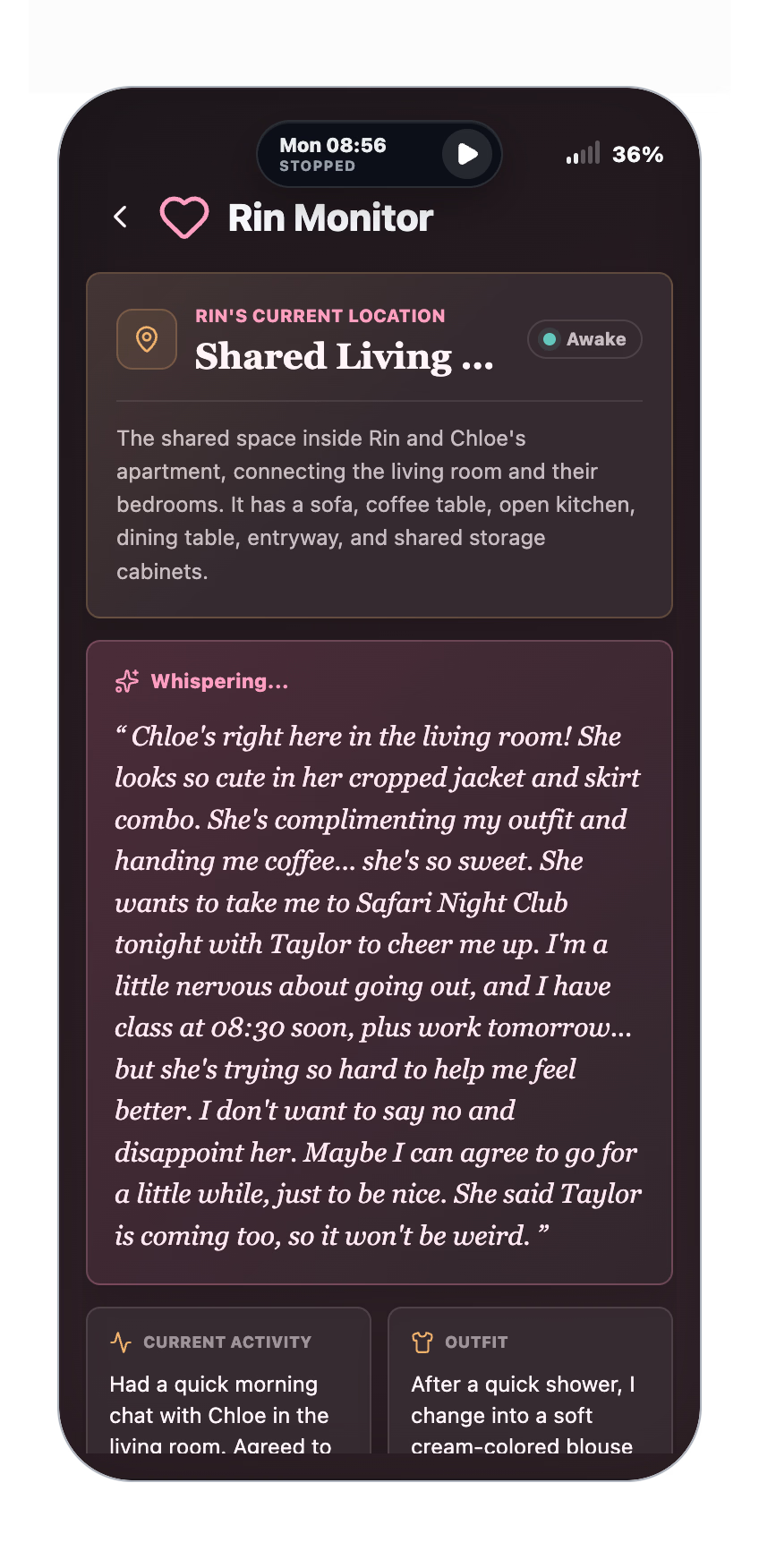
Through messages, social media, location data, recordings, and private thoughts, you can observe an autonomous cast of AI-driven characters living their own lives. They make plans, form relationships, interact with one another, and continue moving even when you are not watching.
How much can you trust her when attention is all you can offer from afar?
Thread Updated: 2026-10-04
Release Date: 2026-08-13
Censored: No
Version: 1.4.0
OS: Windows, Linux, Mac
Language: English, Chinese
Store: itch.io
Genre:
See More
Text based, AI CG, Male Protagonist, Netorare, Cheating, Dating Sim, Romance, Sandbox, Simulator, Voyeurism
Installation:
See More
Windows
1. Download the Windows executable.
2. Run the executable.
3. The build is unsigned. If Microsoft Defender SmartScreen blocks it, click “More info” and then “Run anyway”.
4. Only continue if the file was downloaded from an official link in this thread.
Linux
1. Download the AppImage.
2. Mark it as executable if required.
3. Run the AppImage.
macOS — Apple Silicon
1. Download and open the DMG.
2. Drag the game into Applications.
3. Try opening it once from Applications.
4. If macOS blocks it, open System Settings → Privacy & Security.
5. Click “Open Anyway”, then “Open”.
AI Setup
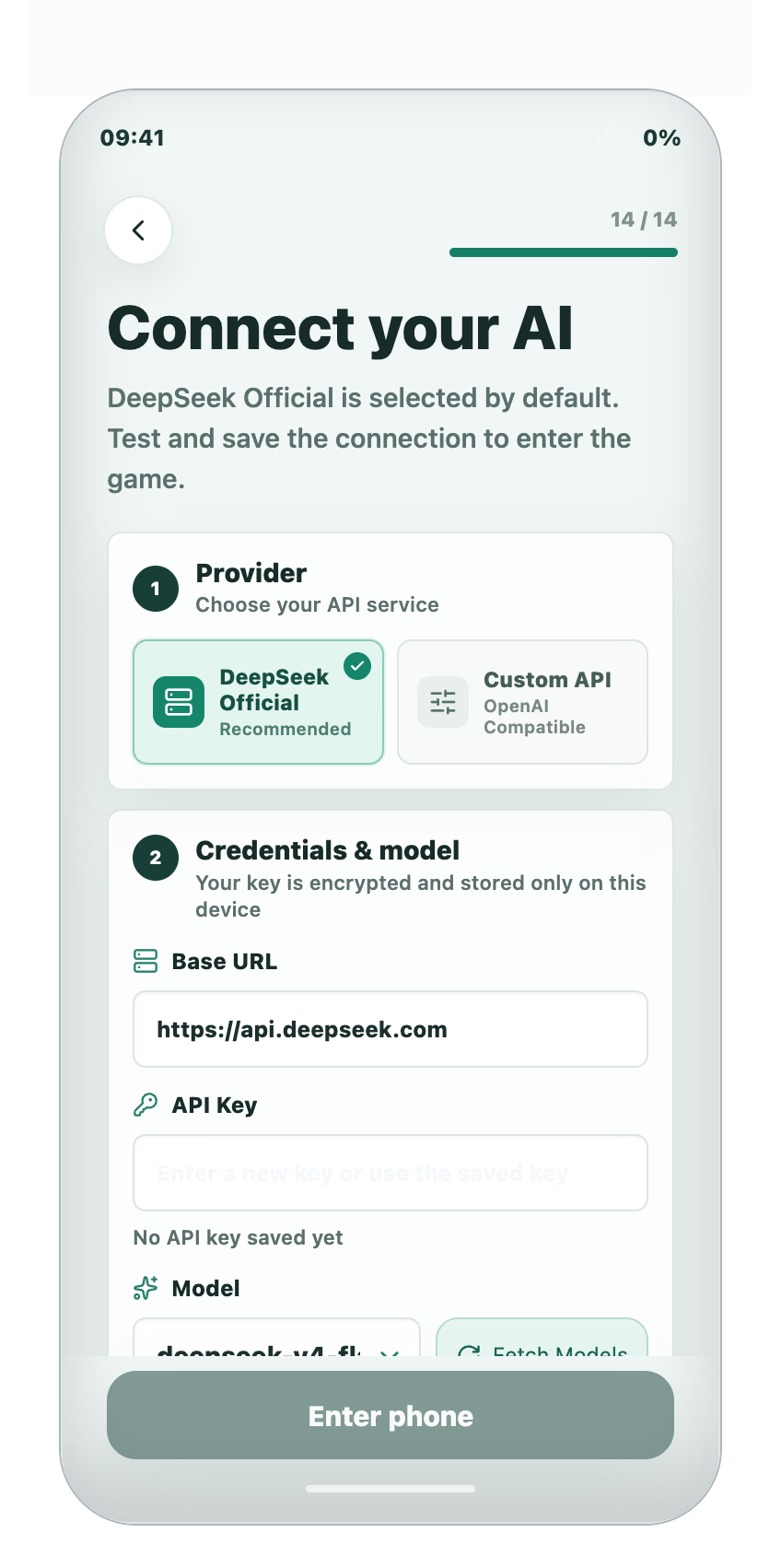
1. Obtain an API key from a supported AI provider.
2. DeepSeek V4 Flash through the official DeepSeek service is currently the only tested and recommended setup.
3. Enter the provider details and API key during the game’s onboarding process.
4. Set a spending limit in your provider account before playing.
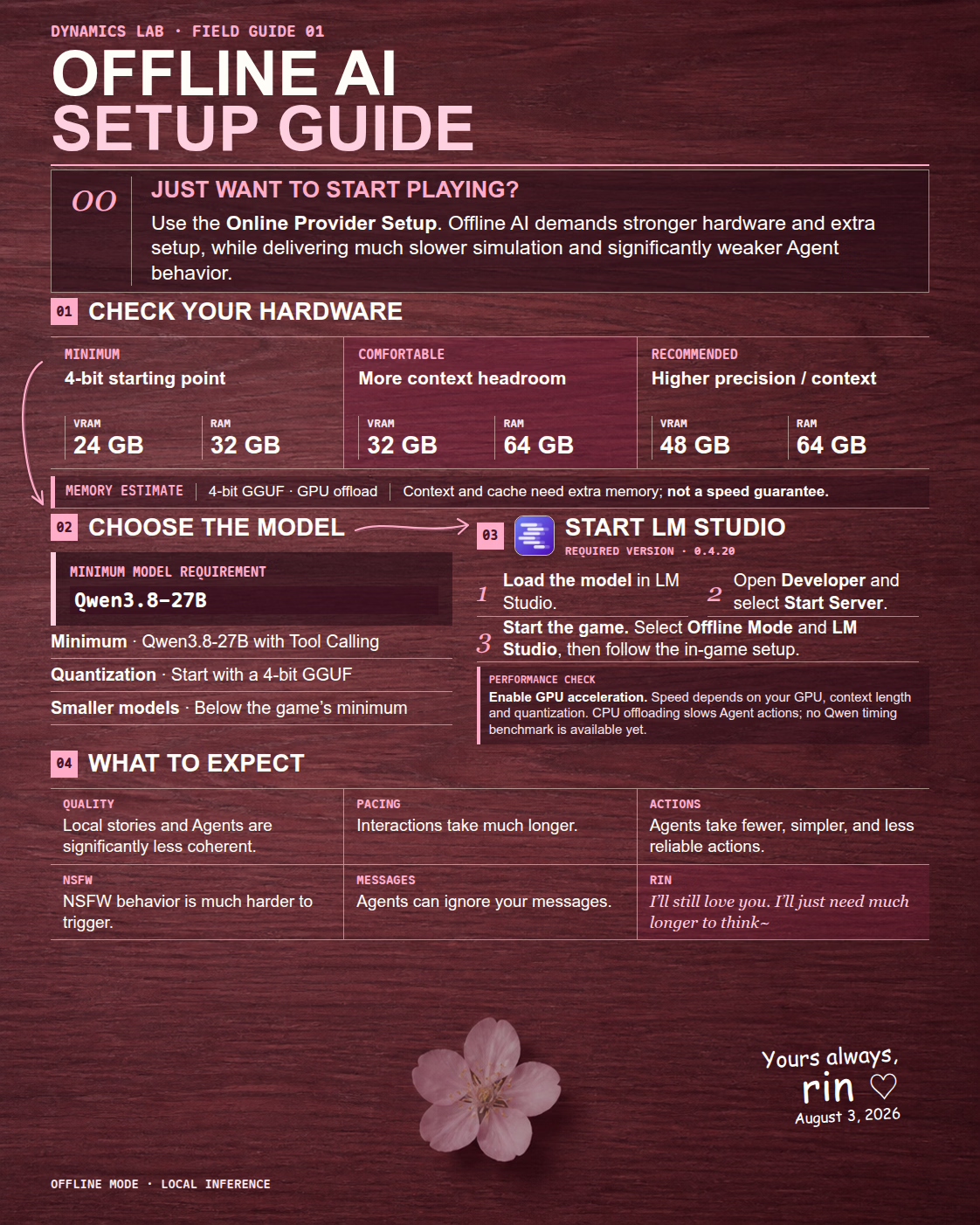
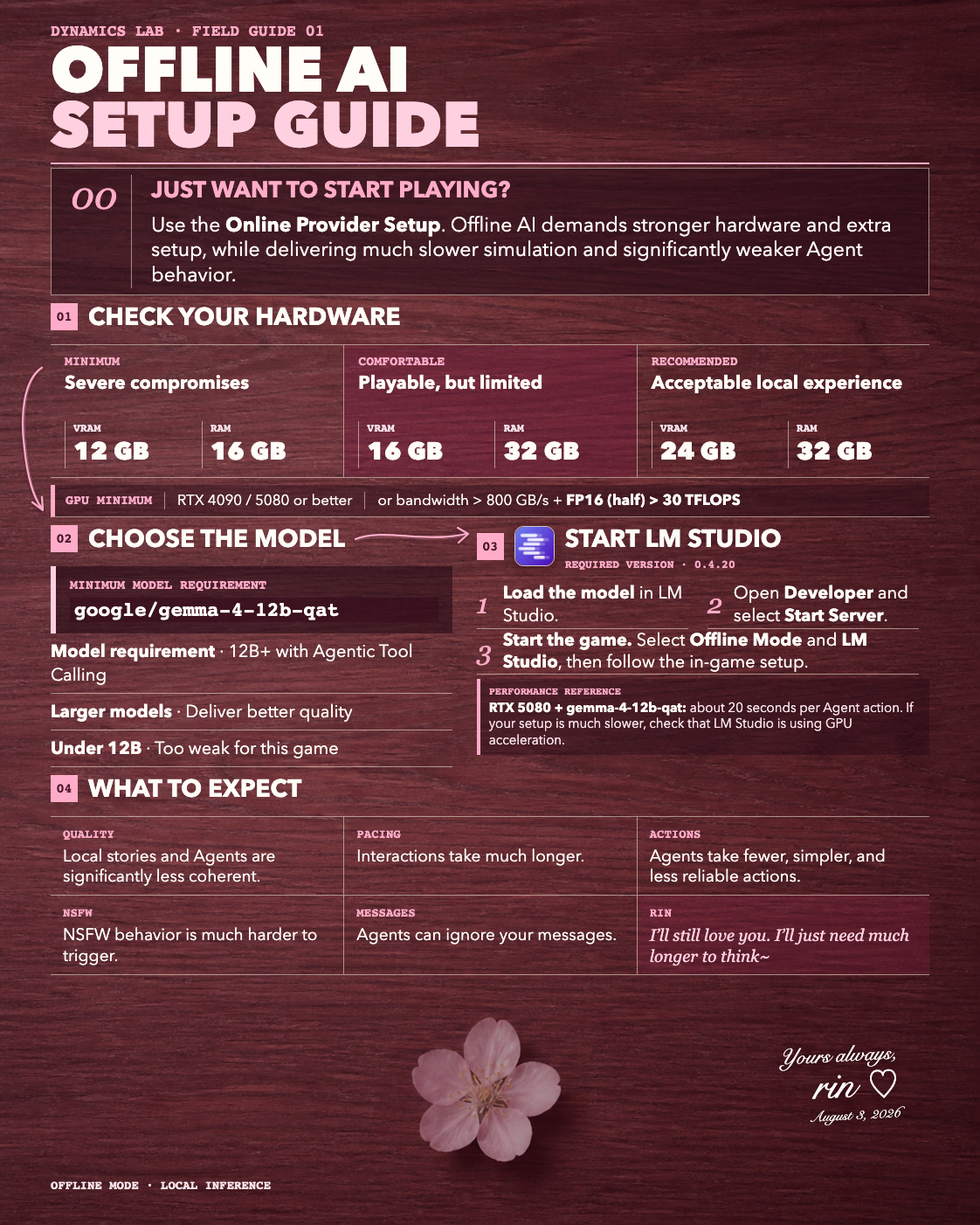
Offline AI Setup
The game supports offline play through LM Studio. Check the thumbnail below for the offline setup guide.
Changelog:
See More
v1.4.0 — Gemini + New Apps
New Features
- Gemini Support: Connect through Google AI Studio or Vertex AI.
- LonelyFans: Explore anonymous accounts, uncover secrets, and comment, like, or tip posts.
- Diary: Read Rin’s nightly diary to see how she looks back on her day.
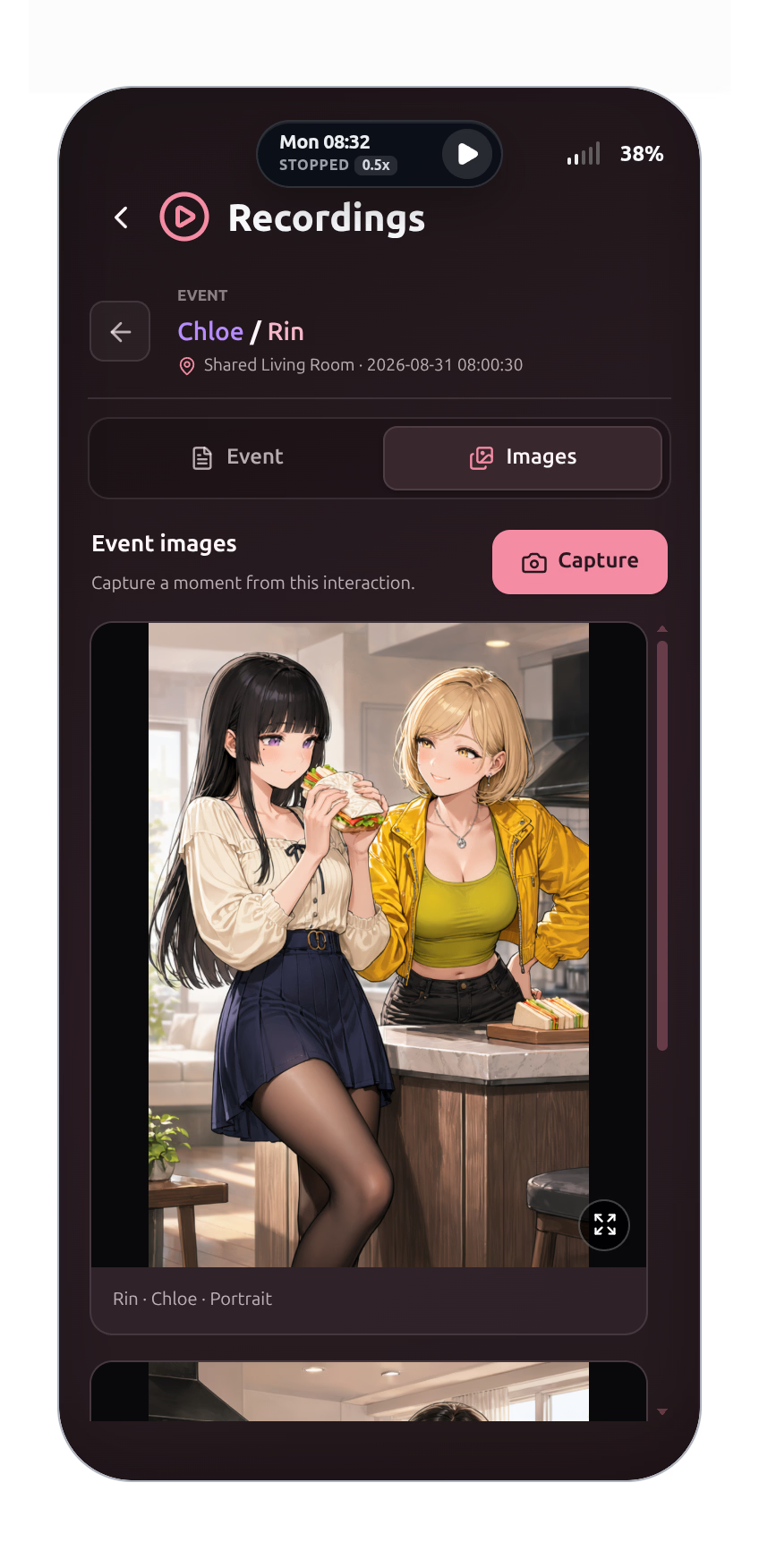
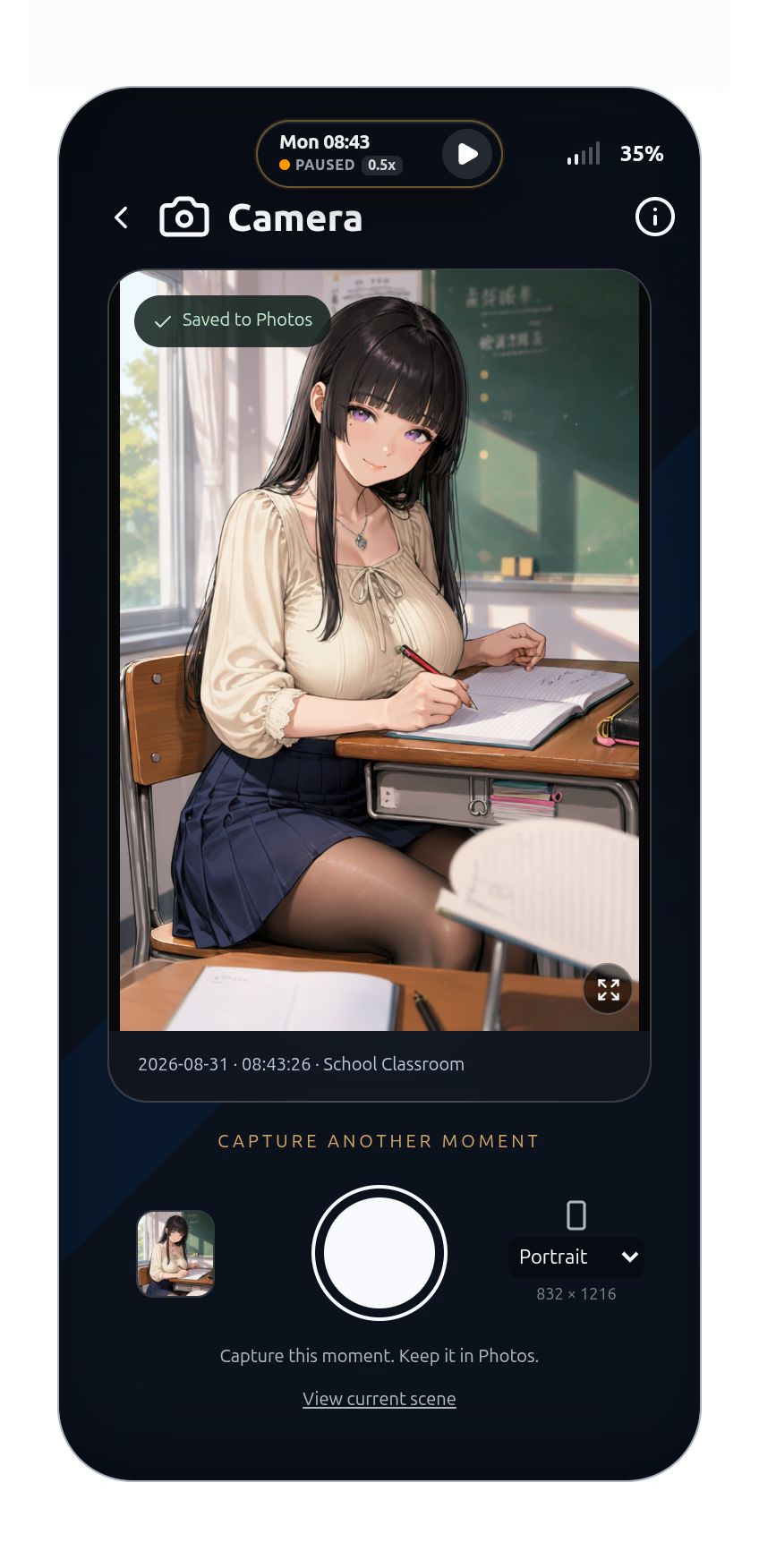
- Camera & Interaction Images: Capture Rin’s current scene or turn recorded interactions into pictures through your connected ComfyUI service.
- God View: Players with testing access can see what other characters are doing and thinking.
- Cross-Device Play: Keep the game running on your computer and continue from your phone over the same local network.
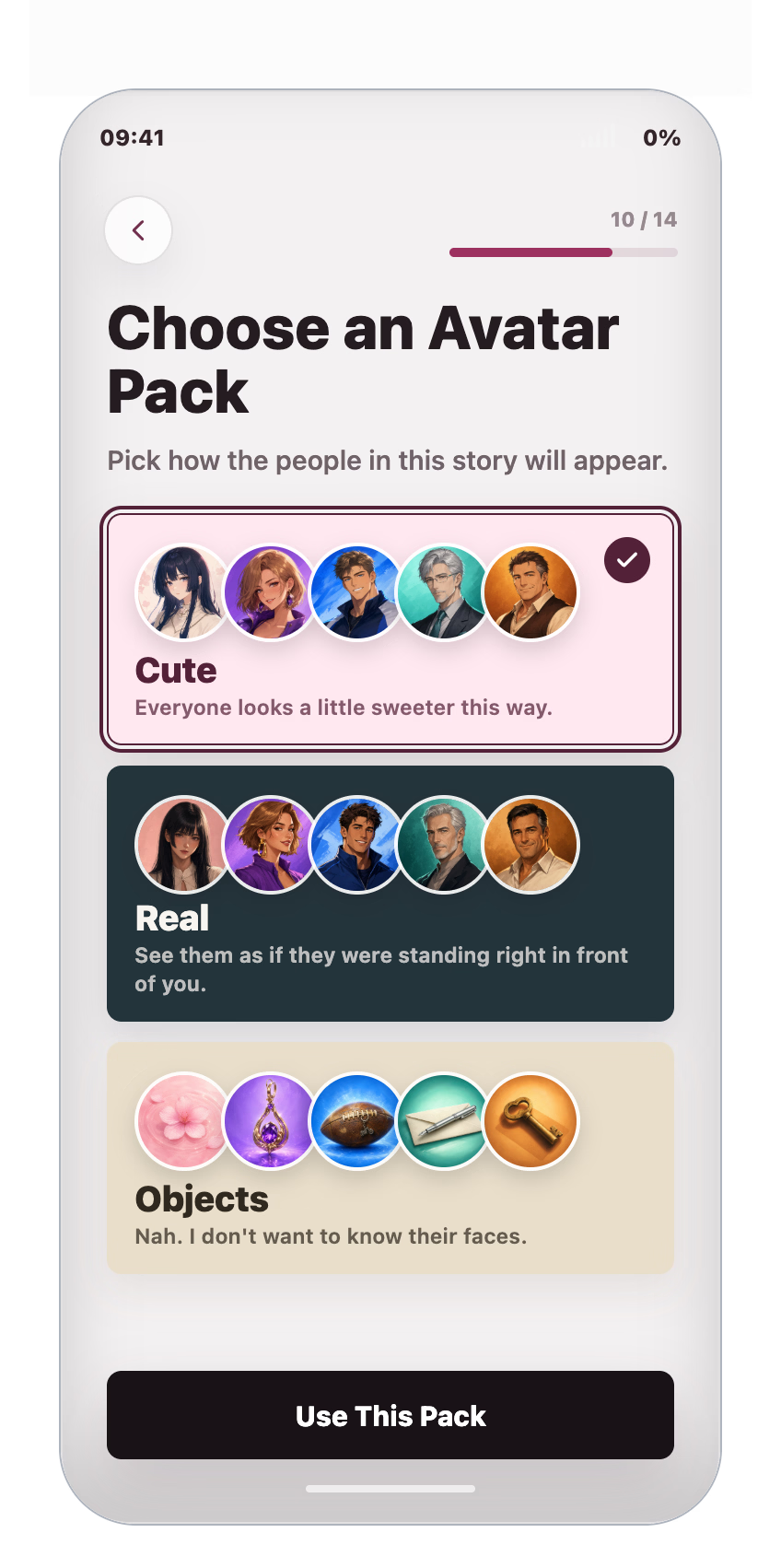
- Character Customization: Add your own details to characters before starting.
- Extra Lewd Mode: A new option for a bolder, more direct story.
v1.3.0–1.3.2 — Agent Loop V2 + ComfyUI
These versions were released only on Discord, not as public releases. All features below are included in v1.4.0.
New Features
- ComfyUI Connection: Connect your own image generation engine. The game does not include the engine or models; these require separate installation and configuration.
- Agent Loop V2: Reduces model inertia, improves character behavior diversity in longer playthroughs, and is estimated to reduce token usage by around 30%.
- Outstagram Interactions: Like posts, leave comments, and join conversations.
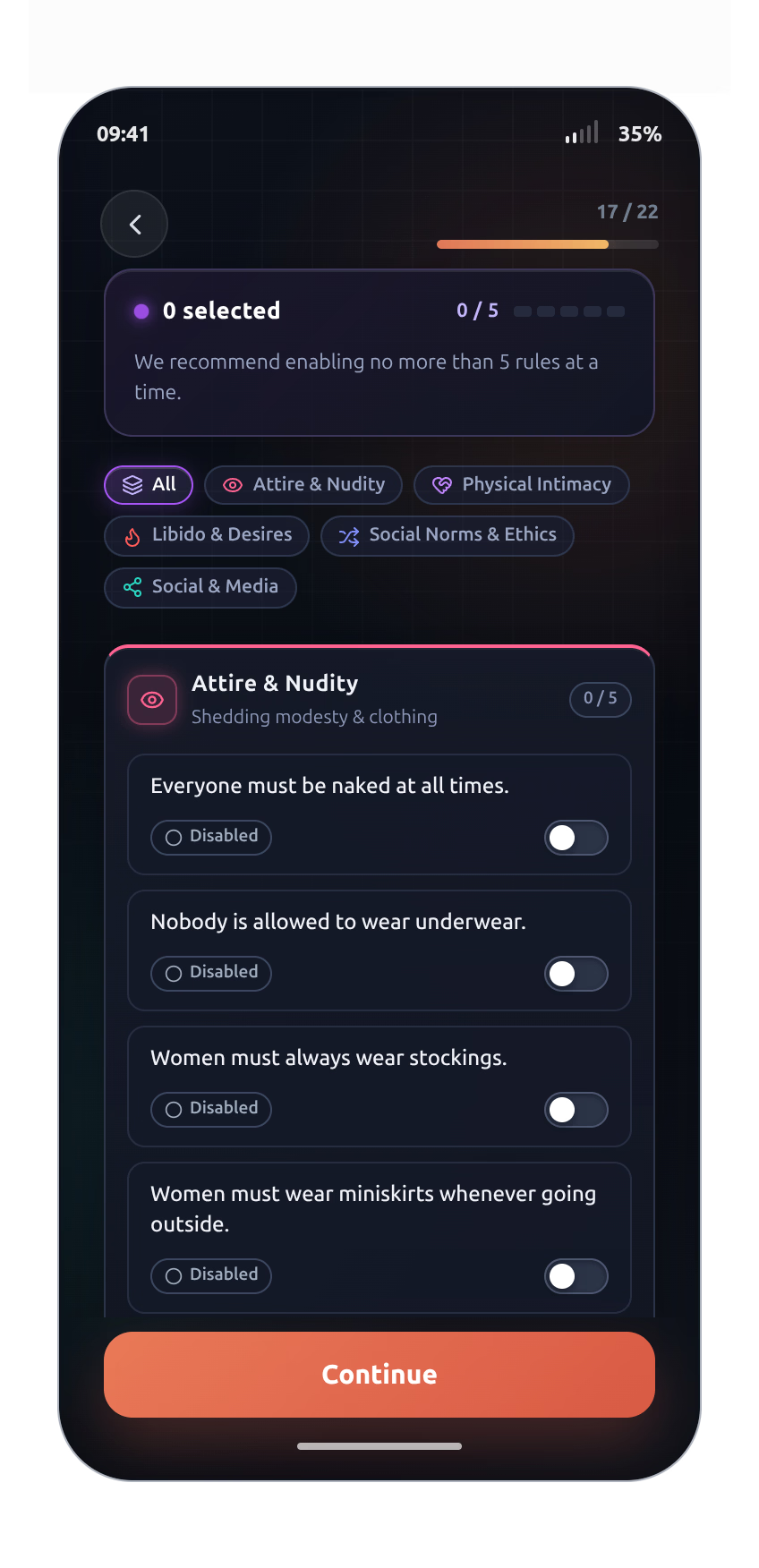
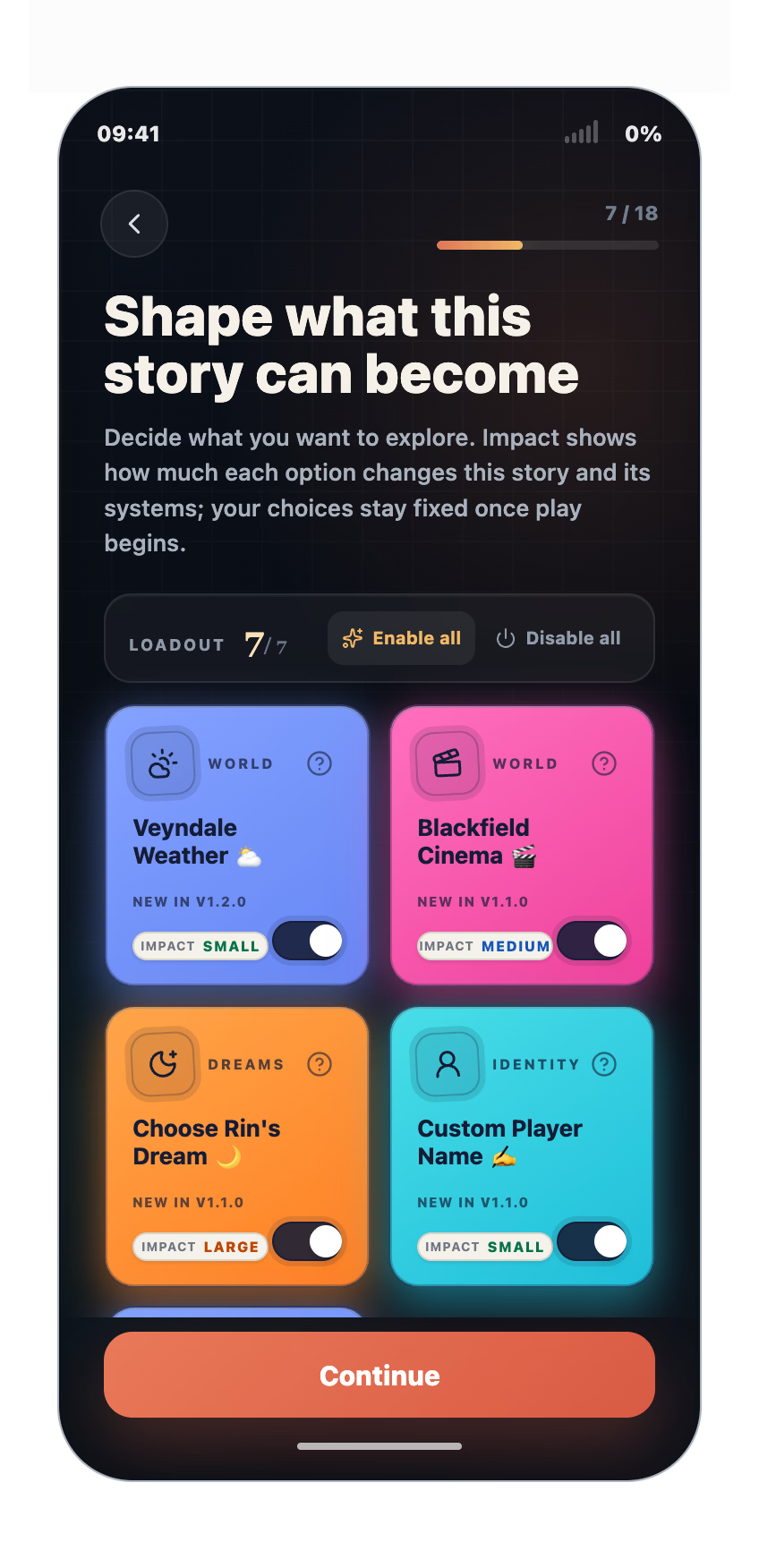
- World Rules: Choose presets or write your own rules for the world.
- Cheats Tools: Introduce unexpected events or use Radar to locate characters.
- Branching Timeline Saves: Save a moment and explore different story paths.
- Custom Output Languages: Choose the language characters use.
v1.2.0 — New Faces, New Skies!
2026-08-27
New Features
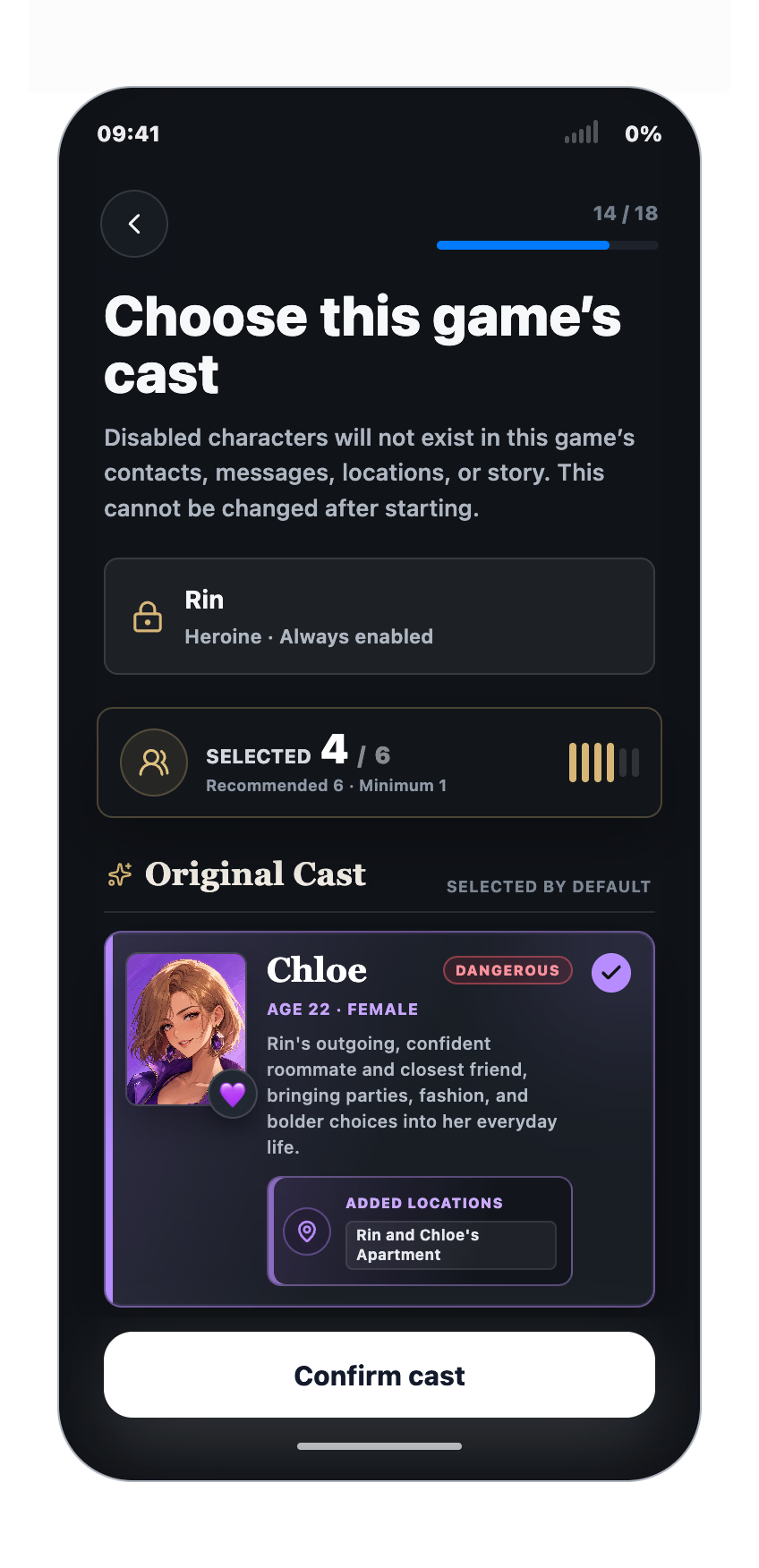
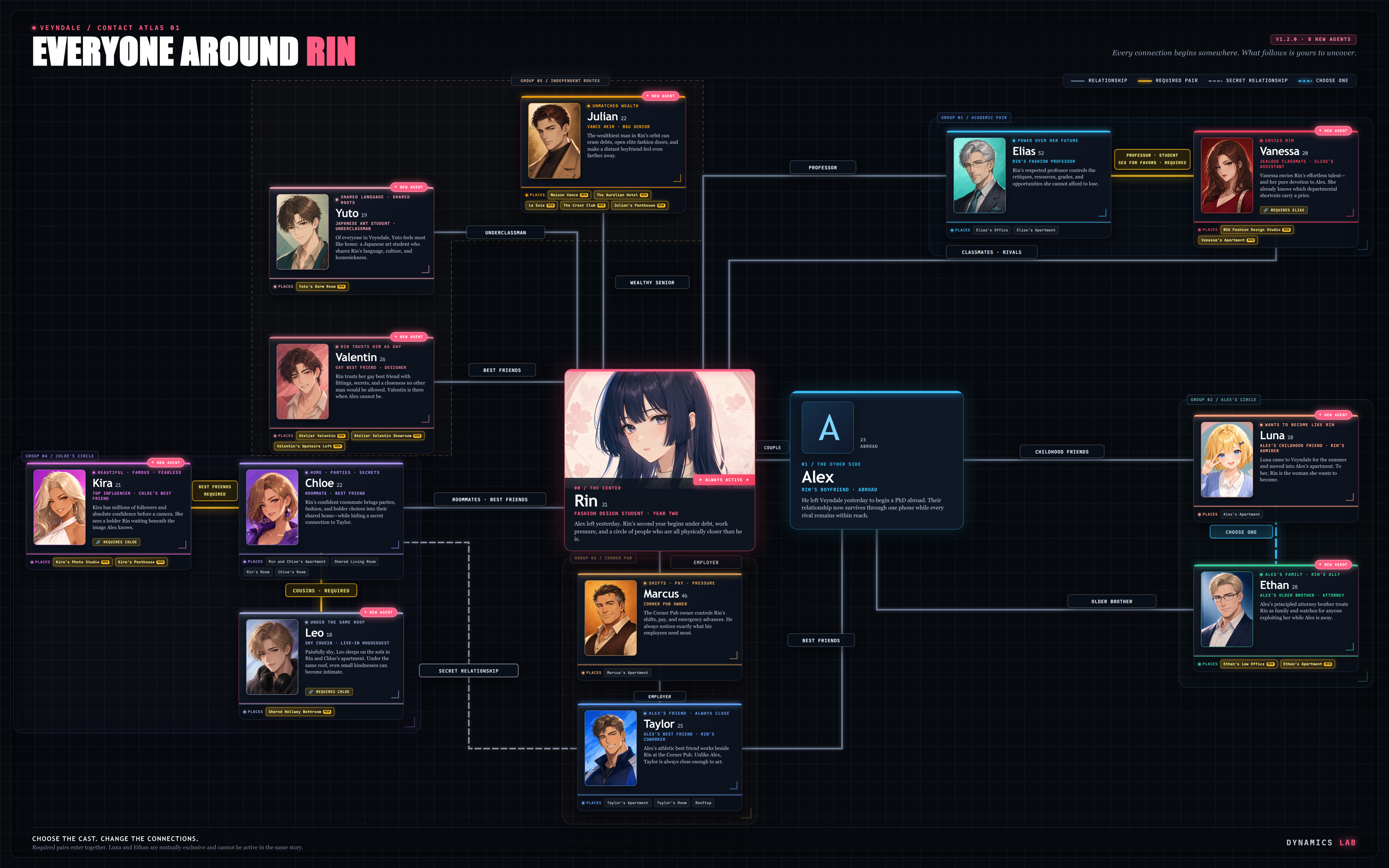
- Eight New Characters: Yuto Shimizu, Julian Vance, Kira Sterling, Vanessa Cross, Luna, Leo, Valentin, and Ethan have joined Veyndale.
- More Stories and Locations: Every new Agent includes their own relationships, schedules, story content, and playable locations.
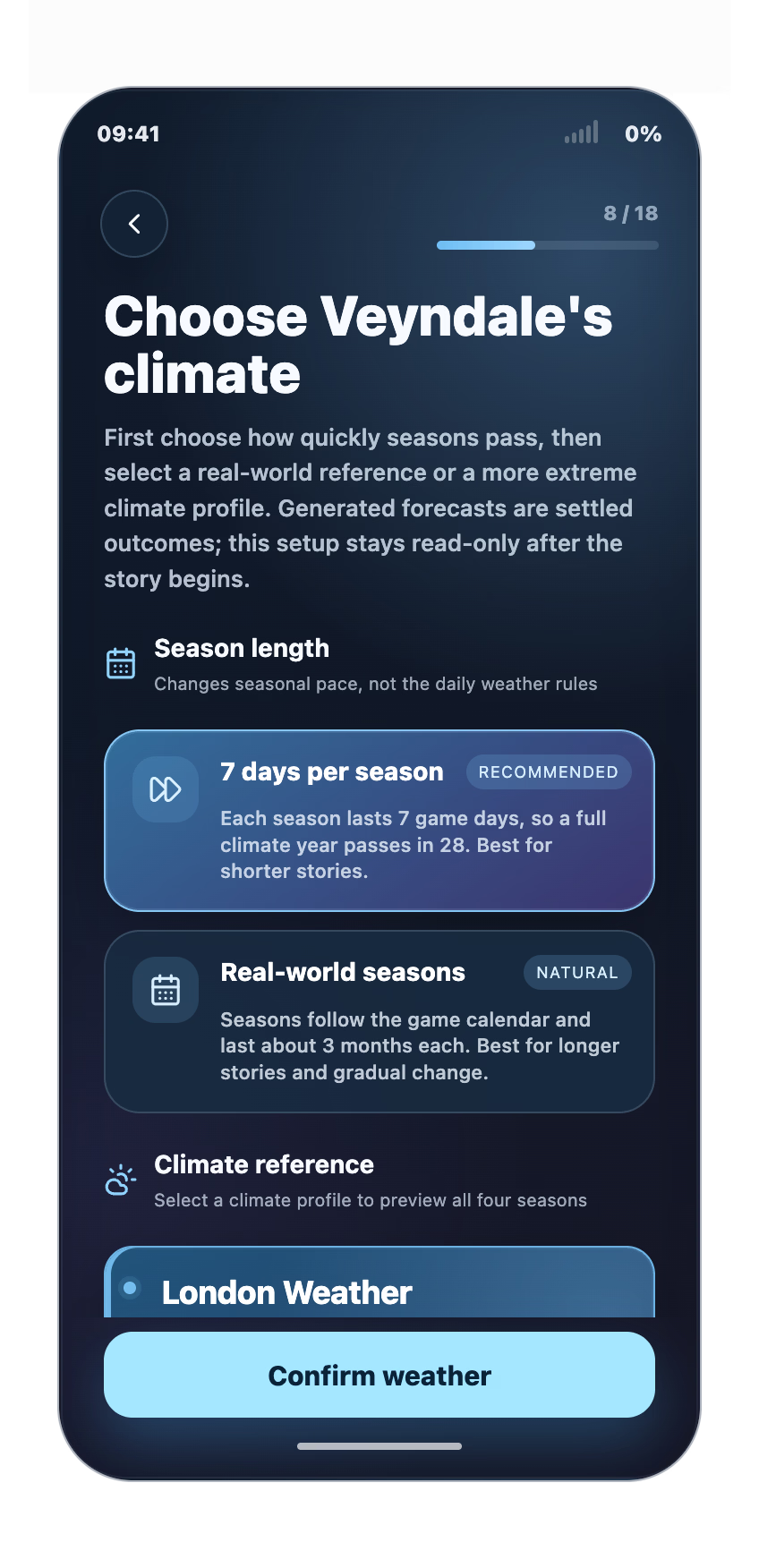
- Weather System: Veyndale now has changing weather, seasonal climate patterns, temperatures, and multi-day forecasts.
- Weather App: Check the current conditions and upcoming forecast directly from your phone.
- Unbound Mode NTR Guidance: An optional setting can now guide relationships and events toward NTR scenarios while preserving the freedom of Unbound Mode.
v1.1.0 — Shape the Story & New mode!
2026-08-13
New Features
- Unbound Mode: Maximum freedom for AI, play without a set path and shape relationships through your own choices.
- New Location: Blackfield Cinema, including adults-only midnight screenings.
- Dream Injection: Choose what Rin dreams about at the end of each day.
- Masturbation System: Characters can now masturbate on their own and can be viewed in Monitor.
- Custom Player Name: Your chosen name can now replace Alex throughout the story.
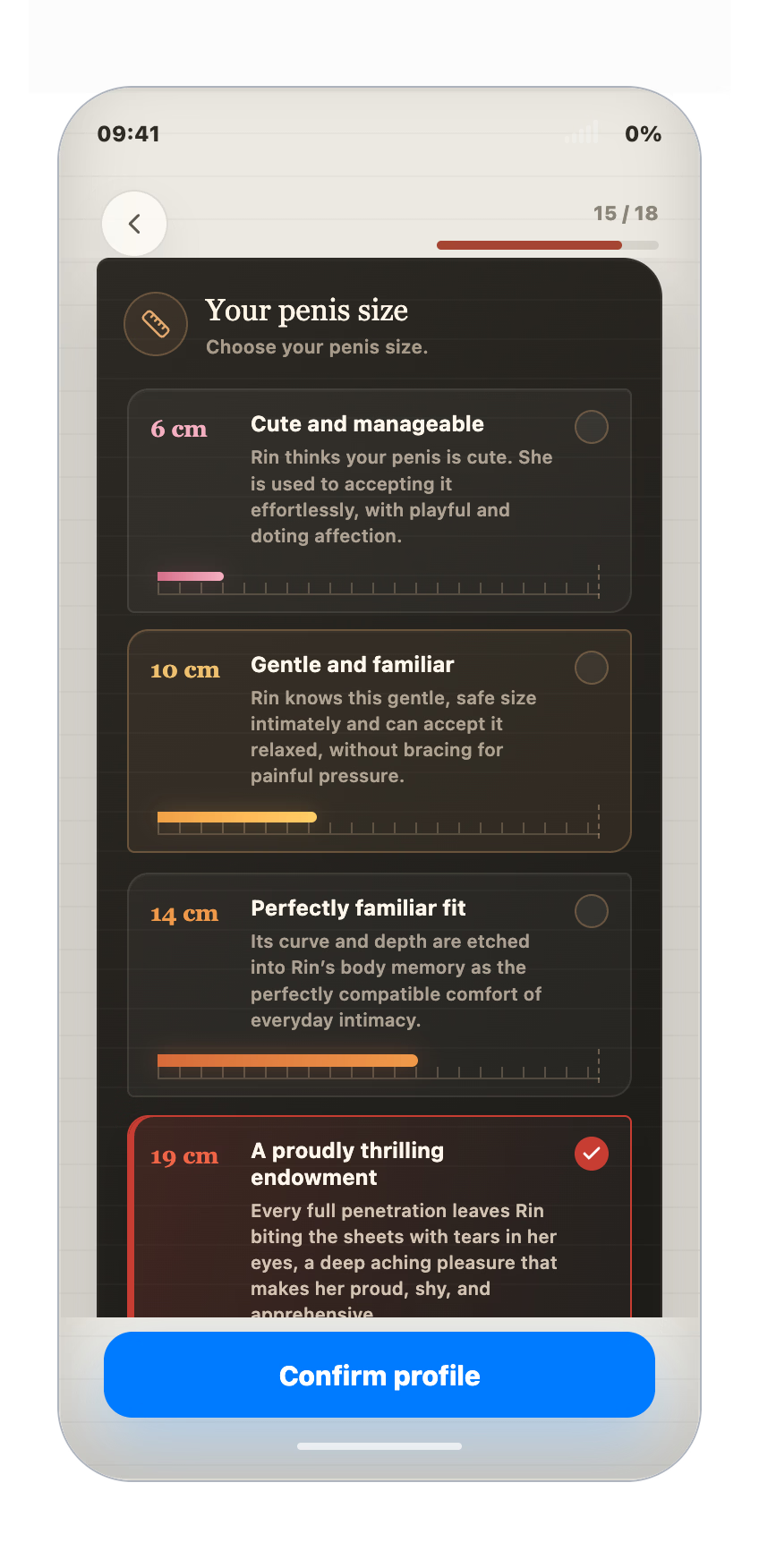
- Custom Penis Size: Define the player’s penis size when setting up your character.
- Custom Sexual History: Define intimate details from Rin’s sexual history with the player.
- Emoji Input: Messages now includes a Emoji picker.
- Local Mode support: Connect llama.cpp to a custom OpenAI-compatible endpoint on your computer or local network.
v1.0.4 — Enhanced Offline Mode Support
2026-08-04
This update was shaped heavily by feedback from the first public release. It adds more control over the game, improves notification pacing, and introduces a completely rebuilt path for running the simulation locally.
More Provider Options
Added dedicated setup profiles for:
- LM Studio
- Ollama
- OpenRouter
- Groq
- NanoGPT
- Generic OpenAI-compatible endpoints
DeepSeek Official remains the only online provider that has been fully tested and recommended. Price and quality with other providers will vary.
Offline Mode
- Added a dedicated Offline Mode for locally hosted models.
- Rebuilt the Agent framework to better handle the limitations and slower response times of local inference.
- Each character can now reuse its own prompt cache in LM Studio.
- The game clock automatically waits for local inference instead of letting the simulation run ahead.
- The game can inspect LM Studio’s actual model configuration and apply recommended settings itself.
- Added clearer warnings when the loaded model does not have enough context.
- Improved local-model action reliability and prevented incomplete actions from getting stuck in repeated retries.
Local models remain noticeably slower and less capable than the recommended online model. Expect simpler decisions, fewer actions, weaker character consistency, and more occasional errors. The full intended experience still requires a sufficiently capable model. If possible, please use the recommended online DeepSeek model.
More Control
- Added Slow, Normal, and Fast simulation-speed options.
- Added freely resizable windows while preserving the phone’s aspect ratio.
- Custom window sizes are remembered after onboarding.
Better Notification Pacing
- Notifications now wait in a prioritized queue instead of covering the screen all at once.
- Rapid updates from the same app are grouped together.
- Important warnings remain visible until dismissed.
- Added a short reading interval when important character updates happen back-to-back.
- Notifications no longer cover the time capsule.
Fixes
- Fixed emojis appearing as Unicode codes or malformed text.
- Existing saved messages with affected formatting are repaired when displayed.
- Fixed the game clock becoming stuck while Agents were thinking.
- Improved simulation timing during slow AI requests.
- Fixed several local-model retry, context, and action-formatting problems.
v1.0.3 — First Public Release
Released: 2026-07-31
– Autonomous characters with their own schedules, memories, relationships, and daily activities.
– Dynamic messages, social media posts, locations, outfits, and character interactions.
– Monitor and Recordings apps for following Rin’s surroundings and important events.
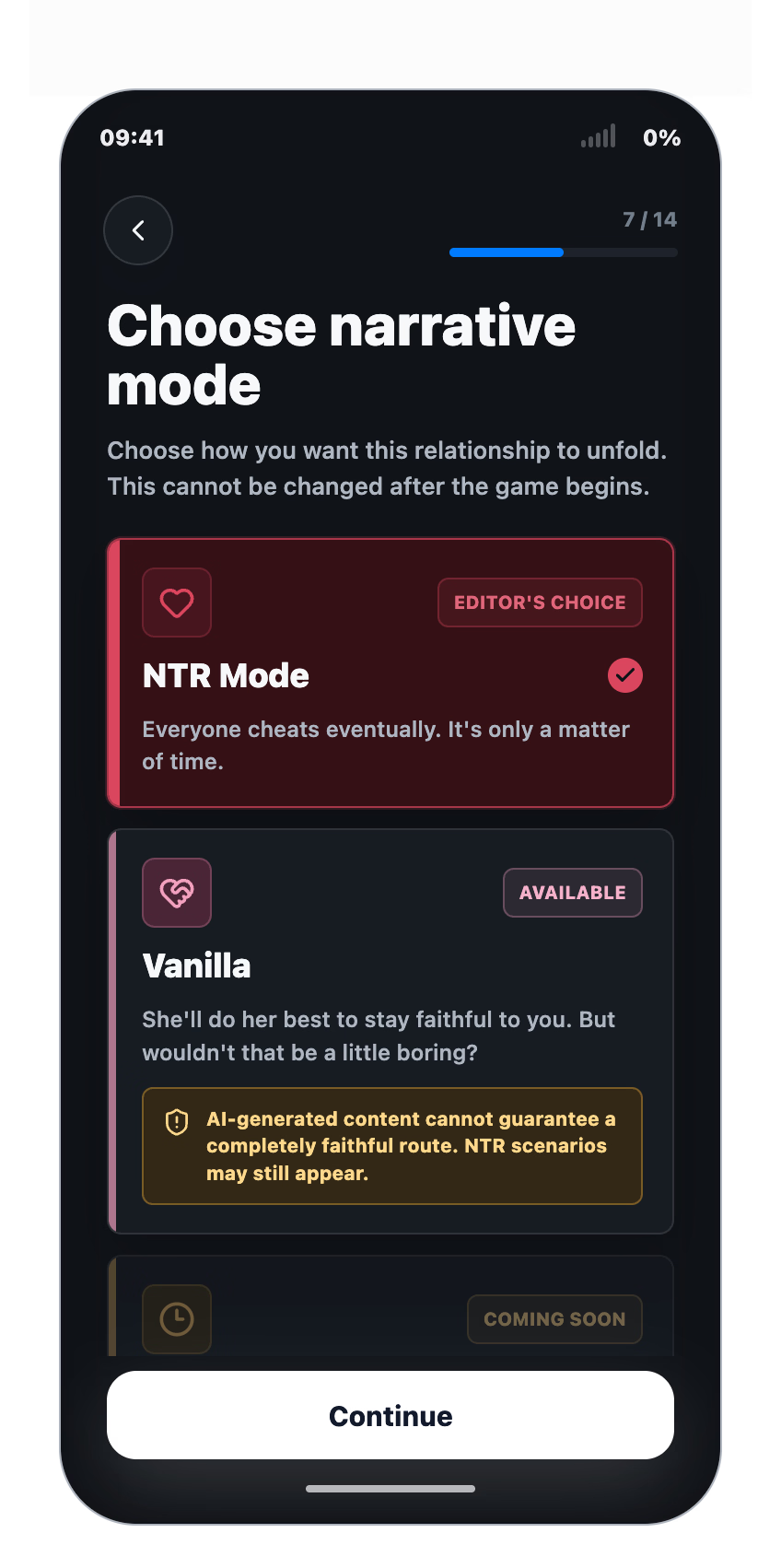
– Multiple relationship modes and story progression speeds.
– English support with an AI-translated Chinese localization.
– Manual saves and autosaves.
– Stable token cache rates of around 97% during normal play.
– Builds for Windows, Linux, and Apple Silicon Macs.
Developer Notes:
See More
Starting with version 1.4.0, you can connect your own ComfyUI to generate images in real time during gameplay. This game itself has no built-in image generation capability.
Want to play on your phone? You can now run the game on your computer and play through your phone’s browser over the same local network.
The game UI is currently in English, but the in-game AI fully supports any language—they can communicate and interact with you in whatever language you prefer!
The game and its save data run locally. The AI simulation connects directly to an inference endpoint configured by the player, which may be either a remote AI provider or a locally hosted service.
When using DeepSeek V4 Flash, the typical API cost is around $0.15 per hour of play [after 17th Aug]. Check comment #104 for the actual cost calculation.
Check #112 for the simplest way to play the game.
DOWNLOAD
Win: MEGA – DATANODES – GOFILE – PIXELDRAIN – WORKUPLOAD
Linux: MEGA – DATANODES – GOFILE – PIXELDRAIN – WORKUPLOAD
Mac (Apple Silicon): MEGA – DATANODES – GOFILE – PIXELDRAIN – WORKUPLOAD
Win: MEGA – DATANODES – GOFILE – PIXELDRAIN – WORKUPLOAD
Linux: MEGA – DATANODES – GOFILE – PIXELDRAIN – WORKUPLOAD
Mac (Apple Silicon): MEGA – DATANODES – GOFILE – PIXELDRAIN – WORKUPLOAD
![Lewd Elevator [v0.2.3] [Fleshforge Studio]](https://hornygames.to/wp-content/uploads/2026/09/6417374_New_Banner-600x160.gif)
![Master Battler [v0.4] [BadFrog122]](https://hornygames.to/wp-content/uploads/2026/09/6127642_icona.avif)
![Magalumina [v1.10] [Purple Software]](https://hornygames.to/wp-content/uploads/2026/09/6526314_1790254863136.avif)
![Monster Girl Tactics: Oubliette [vF6-A] [Minolione]](https://hornygames.to/wp-content/uploads/2026/09/6342523_title_banner-600x162.gif)
![Nayitoshi – Fight for the Skyline [R18] [Snooley]](https://hornygames.to/wp-content/uploads/2026/09/5973432_Nayitoshi-Animated-Banner-600x161.gif)
![Stranded with You [Final] [Kumada Gaon]](https://hornygames.to/wp-content/uploads/2026/09/6532497_Screenshot_2026-09-26_060319.avif)
![Rogue Princess [v0.411a] [dingadocious]](https://hornygames.to/wp-content/uploads/2026/09/5290188_1758241986264.avif)
![Ludus Master [v2.1] [Mike Velesk]](https://hornygames.to/wp-content/uploads/2026/09/4916564_lm_screen01.avif)
![Thicc Magic. Elves’ Perverted Beauty Standards.gif [Ch.1-2] [HarDDeer/PixelGreeds]](https://hornygames.to/wp-content/uploads/2026/09/6526897_Thiccf95Magic.avif)
![Sanctuary in Time [v1.5.9] [Novus Operandi Game Design]](https://hornygames.to/wp-content/uploads/2026/09/2956275_cover_art_as_patreon_banner_NEW_1110x278.avif)
![Fall of Haven [Alpha Demo v1.3.3] [indyc]](https://hornygames.to/wp-content/uploads/2026/09/6353286_Picture29.avif)
![NoteTakeR [Demo] [pheno]](https://hornygames.to/wp-content/uploads/2026/10/6549963_BANNER3.avif)
![Cursed Overlord [v1.40] [King’s Turtle]](https://hornygames.to/wp-content/uploads/2026/08/2097209_bqtcA4.avif)